
WHS Framework

Run WHS from the office
to the job site.

Start with documents configured for your organisation, then connect workers, field records, sign-off and registers in one WHS hub.

Jurisdiction-aware WHS and OHSISO 45001 supportTender and audit evidence
Construction and site safety workers using digital compliance tools
WHS Compliance Portal
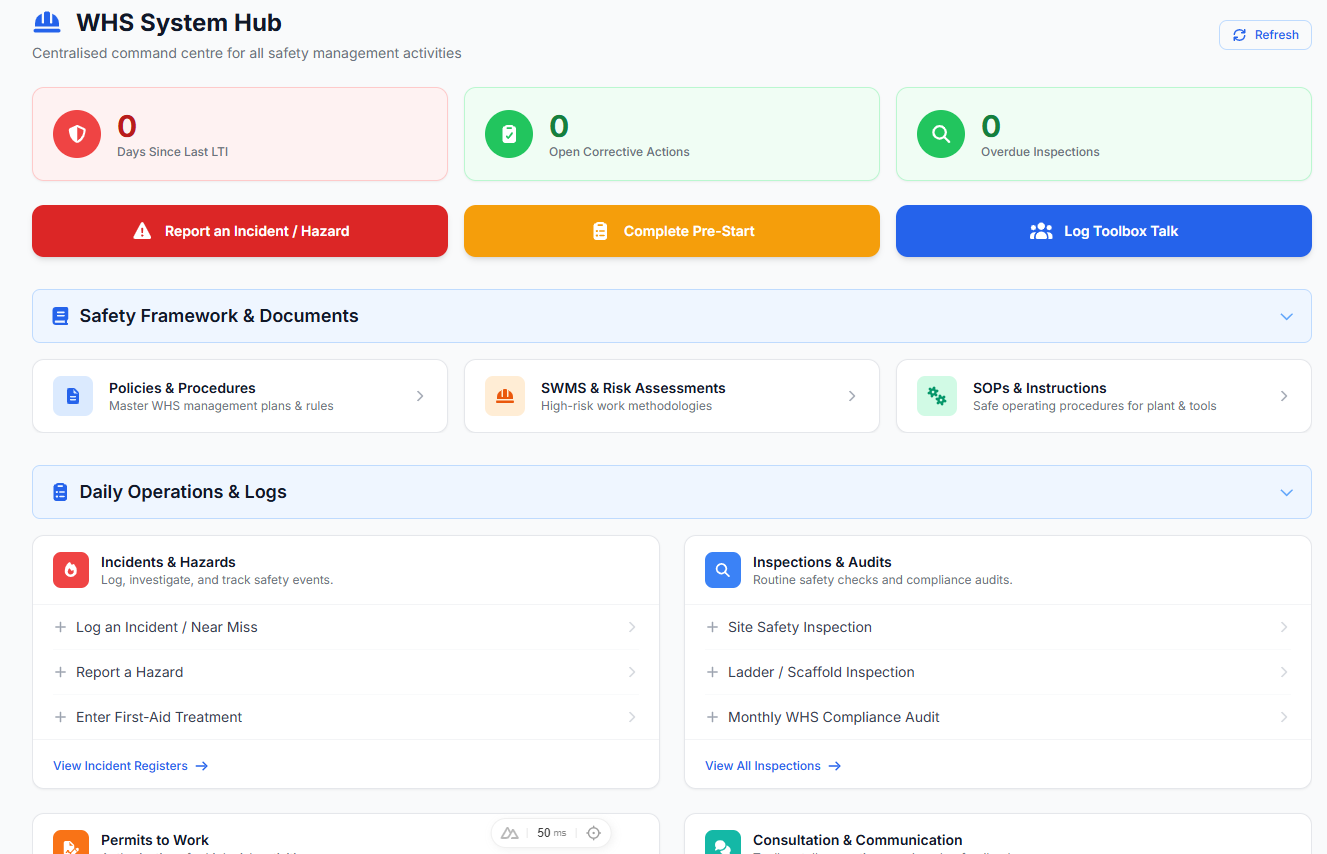
WHS System Hub dashboard showing SWMS, eForms, audits, incidents and worker sign-off workflows

10,000+ Australian customers

Across Blue Safe packages and individual compliance documents.

Jurisdiction-aware WHS and OHS

Content is configured around where your organisation operates.

ISO 45001 support

Connect WHS operations with a broader safety management system.

WHS from office to field

Run WHS from the office to the job site

See how Blue Safe connects controlled WHS documents, worker records, mobile site forms, sign-off and registers across office and field teams.

1 minute 4 secondsTranscript available

YouTube loads only after you press Play.

Watch on YouTube

Two working views, one evidence trail

Give managers control without giving workers more admin.

Office teams prepare and assign the work. Site teams open what they need and record what happened. Blue Safe keeps both sides connected.

Safety managers and office teams

Plan, assign and see what needs attention.

  • Configure documents, sites, roles and worker requirements.
  • Assign SWMS, inductions and project safety actions.
  • See expiring credentials, missing sign-off and open follow-up.
  • Review live registers without rebuilding spreadsheets.

Workers and subcontractors

Open, sign and submit from the field.

  • Open the current SWMS and assigned documents on a phone.
  • Complete inductions and capture digital acknowledgement.
  • Submit incidents, hazards, inspections, pre-starts and permits.
  • Upload licences and evidence while the work is happening.

A configured WHS operating system

From controlled starting point to reviewable evidence.

Blue Safe brings the document library, workforce requirements, site records and follow-up work into one practical operating cycle.

Compare WHS plans and setup
  1. 01

    Configure the system

    Start with a practical WHS structure prepared around your business, industry, operating jurisdictions, sites and roles.

    • Policies and procedures
    • SWMS and SOPs
    • Worker requirements
    • Sites and projects
    • Induction templates
  2. 02

    Run the work

    Give office and field teams the right entry points without splitting records across email, paper folders and separate apps.

    • 150+ mobile eForms
    • Permits to work
    • Inspections and audits
    • Incidents and hazards
    • Training and competency
  3. 03

    Close the evidence loop

    Keep sign-off, structured submissions, actions and register entries connected so owners can see what changed and what remains open.

    • Digital sign-off
    • Live WHS registers
    • Corrective actions
    • Expiry tracking
    • Audit and tender evidence

AI-assisted SWMS generation

Describe the work. Answer the questions. Review your SWMS.

The generator takes about two minutes because it asks for the site conditions, equipment and exposures that affect the work. You receive an editable draft to review for the job, site, workers and jurisdiction before use.

Create a free SWMS Editable Word and PDF output
  1. 1

    Describe the job

    Enter the work activity and the practical context the generator should consider.

  2. 2

    Answer targeted questions

    Confirm site conditions, equipment, exposures and other details that change the risk profile.

  3. 3

    Review the editable draft

    Check hazards, controls, PPE and risk ratings for the job, site, workers and jurisdiction before issue.

“You guys added real value with the required documentation that was high quality, affordable, very well put together and easy to implement. We secured our Government Tender for another seven years.”

Rodney Prendergast

Mow Me Lawns Australia

This is an individual customer experience supplied for publication, not a general tender outcome guarantee.

Free WHS self-check · 4 minutes

Check where your WHS system needs attention.

Get a section-by-section readiness score and a practical list of documents and processes to review.

Start the free WHS self-check

Practical WHS resources

Understand the requirement before choosing a system.

Read guides covering SWMS, audits, incident registers, contractor compliance and work safety news.

Browse WHS resources

Choose the WHS plan and setup that fits your team.

Compare worker limits, operational modules and configured setup options before you start.